‏إظهار الرسائل ذات التسميات resume. إظهار كافة الرسائل


http://ift.tt/1kTZdLd

MD is a Single Page personal resume PSD Template with clean & smooth design. It also can be ideal for creative studio or for portfolio. The PSD files are fully layered and easily customizable.


Features:


  • 5 PSD included.

  • 3 different styles.

  • Blog page & Single blog post page included

  • Thought to be responsive

  • Unique & Modern Design

  • Vectore shape & Custom made buttons, Icons & table

  • Clean & Elegant

  • And many more


Fonts


Icons


Stock Photo:


Credit goes to


(All stock images are just for demo purpose only and NOT included in the final purchase files)


personal, psd-templates, agency, clean, corporate, creative, one page, portfolio, resume, single page, smooth, unique, vcard May 06, 2014 at 10:19PM


http://ift.tt/1kRGVKD

MongKok is a modern onepage resume / personal web template built on Bootstrap 3 with lots of options for customization. It features a resume section with clean typography and animated charts, a portfolio section and a book section. With the code snippets page that comes with the template, it is easy to create your own contents that are consistent with the template in terms of style.


Please click here for the live preview on mobile devices.


Key Features


  • Modern design

  • Responsive layouts

  • Flexible color scheme (single color / dual colors)

  • 5 predefined color schemes

  • 4 navigation bar positions (top, bottom, left, right)

  • 6 CSS3 Off-canvas navigation animations (push, reveal, scale up, rotate in, rotate out, rotate & reveal)

  • Resume section with clean typography

  • 4 types of charts (bar chart, pie chart, donut chart, progress chart) with on-scroll animations

  • AJAX portfolio section

  • 3 types of predefined layouts plus the option to use your own layout for portfolio details

  • Image slider and YouTube / Vimeo videos can be used in portfolio details

  • Book section with CSS3 animated books

  • 2 predefined 3D transitions for animated books plus 2D fallback

  • Gallery section with lightboxes for images, Youtube / Vimeo videos and webpages

  • Styled / original Google Maps

  • Working AJAX contact form

  • Lots of code snippets to help you create your own content


* Images in the live preview are not included in the download package. User images and names in the live preview are placeholder images and names generated by Random User Generator.


Updates


  • May 6, 2014 (Ver. 1.0)

    • Initial Release


Credits


personal, site-templates, virtual-business-card, ajax portfolio, animated books, animated charts, gallery, modern, off-canvas navigation, one page, resume, working contact form May 06, 2014 at 09:13AM


http://ift.tt/1j0GPAY

Metrize is a responsive HTML5 template with windows like flip effect. It is a one page template that is built on `less` style to change the style easily. It also has unique skills diagram to describe your skills. See the live preview to see what it offers.


Features


Windows like flip effect.

Unique skills diagram

Working Ajax Contact Form

Filterable Portfolio

Twitter Widget

250+ icon fonts

Responsive popup for images and video

Full Support

and much more…


Credits


Note: The images are not included in the download. They are replaced by placeholders.


personal, site-templates, virtual-business-card, blog, css3, flat, flip effect, html5, metrize, metro, one page, portfolio, responsive, resume, stylish May 05, 2014 at 07:07AM


http://ift.tt/1jaKveX

cvCard is a responsive ajax enabled vcard theme with Sliding Horizontal Layout.


Features


  • HTML5, CSS3, Responsive Design, Retina ready, jQuery powered

  • CSS3 Sliding Horizontal layout with fallback to classic layout for non-supported browsers.

  • Optimized performance for mobile devices

  • Filtered portfolio with solid ajax portfolio details and custom styled-mobile optimized lightbox. Both support image and video.

  • Blog with post formats

  • Self hosted html5 audio/video (one .mp4 file for all browsers!)

  • Responsive video embed in various aspect ratios (youtube/vimeo …)

  • Cross browser styled form elements

  • Optimized for retina screens.

  • Easy to customize : 4 predefined styles

  • 50+ awesome CSS3 effect for portfolio page in-out animations.

  • Working ajax contact form with validation

  • 30+ popular social icons

  • 600+ Google Fonts

  • Custom Settings Panel

  • SEO ready

  • Google Maps ready

  • Google Analytics ready

  • Translation ready (.po file included)

  • Cross browser compatible

  • Extensive Documentation & Support Forum


cvCard


cvCard


cvCard


Credits


creative, portfolio, wordpress, blog, css3 animation, cv, impressive, personal, responsive vcard, resume, sliding layout, vcard April 18, 2014 at 05:31AM


http://ift.tt/1kuGmJz

TemPlaza forum

TemPlaza forum

TemPlaza twitter

TemPlaza fanpage

TemPlaza dribbble

TemPlaza behance

TemPlaza Video

TemPlaza envato


Profiler is a responsive WordPress theme specializing in personal purpose, mainly for individuals who want to build a site for themselves only. With Profiler theme, people will know who you are, what your projects are, what achievement you gain and so on. This theme is like an online CV. This is really helpful for ones desirable to impress employers for a job vacancy.


Profiler integrates well with all devices such as Desktop, Tablets, and Mobile; perfectly runs on all web browsers supporting HTML5 and CSS3.


Responsive Design


All pages are designed and developed to the Bootstrap Framework to display perfectly across all devices and screen sizes. If preferred this can be displayed easily in template manager.


About Page


Creative about page with shortcode give you a professional introduction.


Resume Page


Resume page display your information (experience, skills, etc) in an attractive way.


Awards


Profiler allows you show your awards that will impress your boss.


You can share your moments with Gallery Background


Powerful Admin Panel


Theme options are what make a wordpress theme truly custom. Option Tree attempts to bridge the gap between developers, designers and end-users by solving the admin User interface issues that arise when creating a custom theme.


Mega Menu


Mega Menus refer to drop down menus that contain multiple columns of links. Profiler lets you add a mega menu to any anchor link on your page, with each menu revealed using a sleek expanding animation.


Joomla Version


blog-magazine, personal, wordpress, award, creative, cv, private, responsive, resume, vcard, wordpress theme April 10, 2014 at 02:08PM


http://ift.tt/1k2EyEM

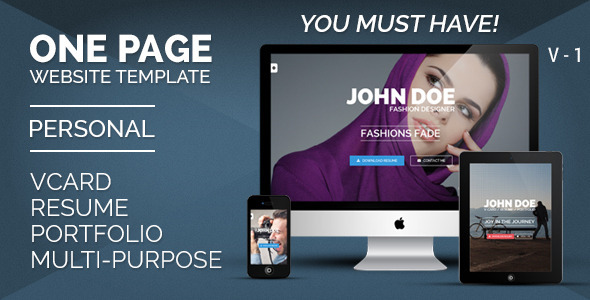
Personal One – OnePage / VCard / Resume / Portfolio


Personal One is a clean, modern and Professional VCard / Resume / Personal Portfolio HTML5 & CSS3 Website Template.

Built with Bootstrap 3.0 Framework.

Awesome Revolution Sliders.


You must have!


personal, site-templates, ajax, bootstrap, colors, cv, fullscreen, light dark, onepage, parallax, photography, portfolio, professional, responsive, resume, vcard April 09, 2014 at 11:34AM


http://ift.tt/1lMWTIn

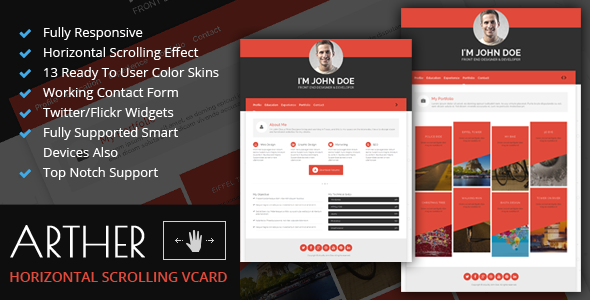
Arther is a clean, minimal, flat horizontal scrolling template. With support on all kinds of modern devices, now you can spread your work worldwide easily. The user can drag between you pages on smart devices like Iphone, android phone, ipad and tab. So this features make this template a very powerful theme which is best for freelancer.


We offer our theme in 13 different template and the flexibility to edit the code is superb, clean and commented. So you can have your own website within a few hours of day enjoying a coffee.


Some Features


  • Fully Responsive

  • Horizontal Scrolling Effect

  • 13 Ready To User Color Skins

  • Working Contact Form

  • Twitter/Flickr Widgets

  • Fully Supported Smart Devices Also

  • Top Notch Support


At last we offer a great support on this, if you have any query regarding our theme feel free to get in touch using this form here.


personal, site-templates, virtual-business-card, businesses card, creative, css3, cv, flat, html5, onepage, portfolio, professional, responsive, resume, skills April 08, 2014 at 09:16AM


Voxr is a Responsive vCard Wordpress theme for your personal and professional online vCard. It is made so that it will work with any device such as mobile, desktop , tablet and more without you touching anything!


Features


  • Full Responsive design

  • Animation

  • 6 predefined themes & 12 predefined Patterns

  • Clean and Minimal Design

  • Using jQuery

  • Lightbox

  • Submenus are not supported for now

  • Mixitup jQuery plugin powering portfolio

  • Sequence JS powering home

  • Valid XHML Code

  • Included PSD file

  • Included Documentation

  • Highly Customizable


Demo Details


Click here to go to demo page

Changelog:


Version 1.0
  • Initial Release


Sources & Credits


  • Fonts : Open Sans & Oswald

  • Images by lorempixel.com

  • Picture Image by flickr.com

  • Portfolio Images from Themeforest asset library


CSS:


  • Simple-Grid

  • Font Awesome Icons


JS


  • jQuery

  • Maplace

  • Mixitup

  • Sequence

  • prettyPhoto

  • easing


Some Demo images are not included in the downloaded files

Chulan is a fully Responsive, Flat, Minimalist, Professional & Multipurpose v Card template built to showcase your top-notch portfolios. This template made for designers, photographers, illustrators, video producers and other who need an easy, attractive and effective way to share their work with clients.


This site template has three versions: Static background, Slider background or Video background (+ bonus – coming soon page).


See demos:

chulan


chulan


chulan


Main features:
-Multiple header section layouts
  - Full screen backgrounds
  - Video background
- Retina ready
- Fully responsive
- Working Ajax PHP contact form
- 4 color options – easily add any color
- Ajax portfolio
- Coming soon page include
- and more …


Credits:


Javascripts


- Easing
- SmoothScroll
- Superslides
- Font Awesome
- FitText
- Magnific Popup
- MixItUp
- JQuery appear
- LavaLamp
- OwlCarousel
- ScrollTo
- Textillate
- EasyPieChart
- Jquery.mb.YTPlayer


Images


- Isabela Rodrigues
- Unsplash
- Daniel Zedda


Note:

Images used in the demo are not included in the archive of the – for the license restrictions. They are replaced by dummy placeholders.

Vanity is our recasting of the business card, overturning the notion of Tumblr as “just” a blogging platform. Made with creative professionals in mind, Vanity minimizes clutter through simple, intuitive organization, employing a customizable Profile landing page and full, infinitely-scrolling panels for your Blog, Instagram, Flickr, and Twitter feeds. Vanity, simply put, redefines the notion of “web presence.”


Documentation:


Customizable Landing Page


Since Vanity’s designed to function like a complete website instead of “just” a blog, its landing page can be customized in a variety of ways. By default, you’ll see a smaller, business card-like profile, encouraging visitors to click for more information.


Enabling the “Expanded Profile First” option will present that information the second that they reach your page.


Additionally, Vanity’s landing page can be configured to display the Blog panel first (by selecting the “Set Blog as First Page” option), giving a more traditional feel.


Flickr Panel/Feed


Vanity utilizes a separate panel for it’s infinitely-scrolling Flickr feed, accessed by clicking the Flickr icon in the bottom-bar menu. This organization, again, sets Vanity apart: instead of being crammed into a sidebar, we’ve given your image feeds completely dedicated panel-views.


To set up Vanity’s Flickr feed, simply input your Flickr User ID (retrievable here) in the corresponding field in the Customization Options.


You can also choose to pull in a specific album or set, as opposed to your entire Flickr feed. Thus, if you have an album on Flickr that’s specifically for your portfolio, you can import that and only that (and not pictures of your breakfast too). To retrieve a specific Set or album ID, go to the Set in question, and in the URL there’ll be a string of numbers after the word set. Copy that series and paste it into the “Flickr Photoset ID” field in the customization options. BOOM: done.


Instagram Panel/Feed


Vanity’s Instagram panel is structurally similar to that of its Flickr panel. Simply input your Instagram access token and its panel will auto-populate with a full, infinitely-scrolling feed of your images.


Retrieving your Instagram access token is easier than ever. Go here, login, and you’ll be given your access token. Throw it into the corresponding field in the customization options and you’re all set! You can also disable the dedicated panel-feed by unchecking “Display Instagram Feed” in the Customization Options, instead just displaying the standard social media icon in the Profile view.


Twitter Panel/Feed


Like the image feeds, Vanity dedicates an infinitely-scrolling panel-feed to your Twitter, accessed via the bottom-bar menu. This is easily set up by inputting your Twitter username in the Customization Options, and making sure “Display Twitter Feed” is checked. Additionally, make sure to link your Twitter account to your blog in the Blog Settings menu.


Bottom-Bar Menu


Vanity’s cleanly-tiled menu bar bolsters its “full website” feel, and serves as its main navigational hub. Clickable links to the Profile (Home), Likes, Blog, Twitter, Flickr, and Insagram feeds are all displayed (if so configured), as well as a pop-up page menu and Ask and Submit buttons.


Customizable Colors


Vanity’s Background and Highlight colors are customizable.


Custom Avatar and Background Images


Uploadable in the Customization Options, Vanity supports custom Avatar (optimal size = 250×250px) and Background (any size) images.


Facebook or Disqus Comments


Vanity allows you to enable Disqus and/or Facebook as your blog’s commenting system. The Facebook process looks a little overwhelming, but it’s quite simple.


First, head to the Facebook Developer site, sign up and click on Set Up New App.


Input any name you’d like for your hypothetical app (you’re not actually making one, don’t worry), agree to the ToS and click Create. You’re almost done!


Input your Contact Email (in Basic Info) as well as your blog’s URL into the “Site URL” box (in the Website tab) and save your changes. Copy the App ID located just below your app’s name and you’re all set. Now head back to your blog and input your App ID into the “Facebook App ID” field in the customization sidebar.


Disqus commenting is the same as it ever was. Grab your website shortname, found in the General Settings of your Disqus dashboard, and copy it into the appropriate sidebar field.


Social Media


Vanity’s easily-setup social media links are displayed in the expanded profile, and include: Dribbble, Facebook, Flickr*, Foursquare, Github, Google+, LastFM, LinkedIN, Pinterest, Rdio, Skype, Svpply, Vimeo, and YouTube. [Vanity features both the dedicated Flickr feed mentioned above and a standard, clickable icon in the extended profile.]


Additional Pages


Vanity supports additional pages, displaying links to them in the bottom menu/nav bar.


Premium Support


Each one of our themes comes fully backed by our dedicated support team. We’re good people, with real faces, and we like what we do. We’ve also created a help centre, so you can get help at any hour of the day. Send us an email or tweet, and we’ll respond as soon as we can (PST).

Vanity is our recasting of the business card, overturning the notion of Tumblr as “just” a blogging platform. Made with creative professionals in mind, Vanity minimizes clutter through simple, intuitive organization, employing a customizable Profile landing page and full, infinitely-scrolling panels for your Blog, Instagram, Flickr, and Twitter feeds. Vanity, simply put, redefines the notion of “web presence.”


Documentation:


Customizable Landing Page


Since Vanity’s designed to function like a complete website instead of “just” a blog, its landing page can be customized in a variety of ways. By default, you’ll see a smaller, business card-like profile, encouraging visitors to click for more information.


Enabling the “Expanded Profile First” option will present that information the second that they reach your page.


Additionally, Vanity’s landing page can be configured to display the Blog panel first (by selecting the “Set Blog as First Page” option), giving a more traditional feel.


Flickr Panel/Feed


Vanity utilizes a separate panel for it’s infinitely-scrolling Flickr feed, accessed by clicking the Flickr icon in the bottom-bar menu. This organization, again, sets Vanity apart: instead of being crammed into a sidebar, we’ve given your image feeds completely dedicated panel-views.


To set up Vanity’s Flickr feed, simply input your Flickr User ID (retrievable here) in the corresponding field in the Customization Options.


You can also choose to pull in a specific album or set, as opposed to your entire Flickr feed. Thus, if you have an album on Flickr that’s specifically for your portfolio, you can import that and only that (and not pictures of your breakfast too). To retrieve a specific Set or album ID, go to the Set in question, and in the URL there’ll be a string of numbers after the word set. Copy that series and paste it into the “Flickr Photoset ID” field in the customization options. BOOM: done.


Instagram Panel/Feed


Vanity’s Instagram panel is structurally similar to that of its Flickr panel. Simply input your Instagram access token and its panel will auto-populate with a full, infinitely-scrolling feed of your images.


Retrieving your Instagram access token is easier than ever. Go here, login, and you’ll be given your access token. Throw it into the corresponding field in the customization options and you’re all set! You can also disable the dedicated panel-feed by unchecking “Display Instagram Feed” in the Customization Options, instead just displaying the standard social media icon in the Profile view.


Twitter Panel/Feed


Like the image feeds, Vanity dedicates an infinitely-scrolling panel-feed to your Twitter, accessed via the bottom-bar menu. This is easily set up by inputting your Twitter username in the Customization Options, and making sure “Display Twitter Feed” is checked. Additionally, make sure to link your Twitter account to your blog in the Blog Settings menu.


Bottom-Bar Menu


Vanity’s cleanly-tiled menu bar bolsters its “full website” feel, and serves as its main navigational hub. Clickable links to the Profile (Home), Likes, Blog, Twitter, Flickr, and Insagram feeds are all displayed (if so configured), as well as a pop-up page menu and Ask and Submit buttons.


Customizable Colors


Vanity’s Background and Highlight colors are customizable.


Custom Avatar and Background Images


Uploadable in the Customization Options, Vanity supports custom Avatar (optimal size = 250×250px) and Background (any size) images.


Facebook or Disqus Comments


Vanity allows you to enable Disqus and/or Facebook as your blog’s commenting system. The Facebook process looks a little overwhelming, but it’s quite simple.


First, head to the Facebook Developer site, sign up and click on Set Up New App.


Input any name you’d like for your hypothetical app (you’re not actually making one, don’t worry), agree to the ToS and click Create. You’re almost done!


Input your Contact Email (in Basic Info) as well as your blog’s URL into the “Site URL” box (in the Website tab) and save your changes. Copy the App ID located just below your app’s name and you’re all set. Now head back to your blog and input your App ID into the “Facebook App ID” field in the customization sidebar.


Disqus commenting is the same as it ever was. Grab your website shortname, found in the General Settings of your Disqus dashboard, and copy it into the appropriate sidebar field.


Social Media


Vanity’s easily-setup social media links are displayed in the expanded profile, and include: Dribbble, Facebook, Flickr*, Foursquare, Github, Google+, LastFM, LinkedIN, Pinterest, Rdio, Skype, Svpply, Vimeo, and YouTube. [Vanity features both the dedicated Flickr feed mentioned above and a standard, clickable icon in the extended profile.]


Additional Pages


Vanity supports additional pages, displaying links to them in the bottom menu/nav bar.


Premium Support


Each one of our themes comes fully backed by our dedicated support team. We’re good people, with real faces, and we like what we do. We’ve also created a help centre, so you can get help at any hour of the day. Send us an email or tweet, and we’ll respond as soon as we can (PST).

ResumeX is a multipurpose, elegant and well crafted one page portfolio for creative professionals. Anyone can showcase their personal resume, work history, projects and other personal information beautifully using ResumeX. Though ResumeX is primarily developed for showcasing portfolio elements, however it can be creatively used to display other essential information for SME business and artistic people. Powerful admin panel, intricate development and a pack of essential features really makes ResumeX to stand out in it’s category. If you want your personal site to be noticeable among others, ResumeX can be your ultimate choice.


Features


  • Easiest Admin Panel, you wont have to think twice

  • Robust and fully customizable

  • Excellent section reordering

  • Fully Translatable, including admin panel

  • Excellent CSS3 Animations

  • Testimonials, Experience, Education and Powerful Portfolio manager

  • Comes with a nice blog

  • Bootstrap 3.1.0

  • HTML5 & CSS3

  • Fully Responsive Layout

  • Fully Customizable

  • Full width background slideshow

  • Revaluation Slider ($19 value)

  • Filterable portfolio

  • Unlimited Color Themes

  • Cross browser compatibility

  • Modern and unique design


Main Features:


  • Fully Responsive & Optimized for Smartphones and Tablets

  • Valid HTML5 & CSS3 Code, Powered by JQuery

  • Cross-Browser Compatible: IE9+, Chrome, Firefox, Safari, Opera & Mobile Browsers

  • Clean and Modern Design

  • Built With HTML5, CSS3 and Jquery

  • Parallax Slide Effect

  • Easy to Setup

  • Google Fonts Support

  • Full Width Image Slider

  • Responsive FlexSlider Included for Sliding Images, Video, Text etc.

  • Powerful Gallery Plugin

  • Filterable Portfolio Style

  • 350+ Font Awesome Icons

  • Fully Functional and Validated PHP Contact Form

  • Circle Navigation Menu

  • Customer Support

  • Smooth animations

  • Timeline

  • and many more…


If You Download it, And You Liked it, Please, Don’t Forget to Rate This Item!


Sources & Credits:


NOTE: The images used in this demo are for demonstration purposes ONLY and are NOT included with the final product. In the download files the demo images are replaced with placeholder images.

All credits included to documentation folder.


Documentation:


  • Documentation help file included.


Changelog:


Version 1.0
—Initial Release

Signature is a Single Page personal resume PSD Template with clean & smooth design. It also can be ideal for creative studio or for portfolio. The PSD files are fully layered and easily customizable.


Features:


  • 7 PSD included.

  • Two different styles.

  • 3 different Blog pages & Single blog post page included

  • Thought to be responsive

  • Unique & Modern Design

  • Vectore shape & Custom made buttons, Icons & table

  • Clean & Elegant

  • And many more


Fonts


Icons


Stock Photo:


Credit goes to

(All stock images are just for demo purpose only and NOT included in the final purchase files)

More